
Follow the resale journey.
Explore how a past purchase becomes a Pre-Loved listing, a sale and a return visit to your Shopify store.
Product previews illustrate the workflow. Your retailer settings and theme determine the customer experience.
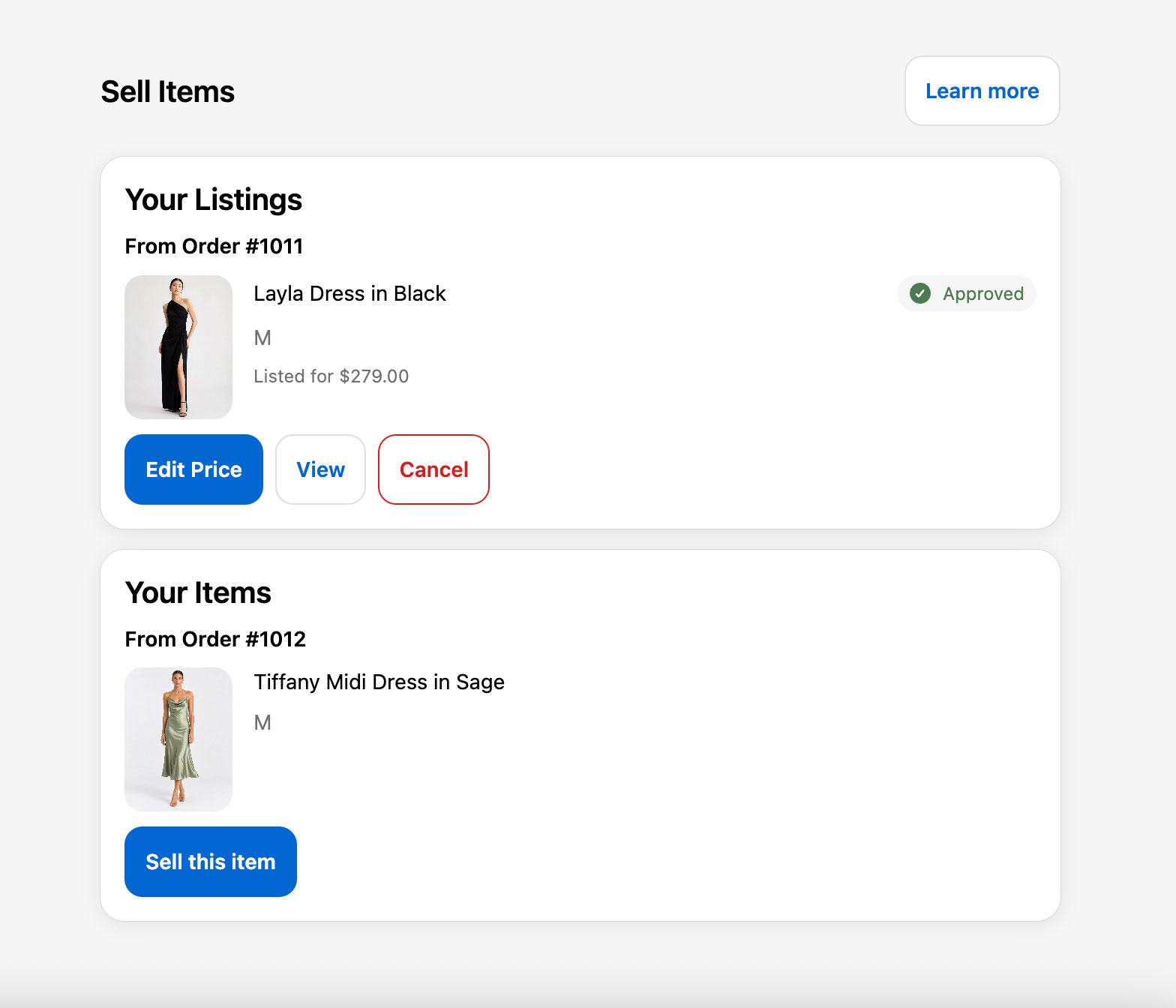
Step 1 of 5
Choose an eligible purchase
The customer opens Sell Items in their account and chooses an eligible item from their own purchase history.
The original order connects the proposed listing to a purchase from your store. Eligibility rules and previous listings determine which items can be listed.
The steps, in detail
Choose an eligible purchase
The customer opens Sell Items in their account and chooses an eligible item from their own purchase history.
The original order connects the proposed listing to a purchase from your store. Eligibility rules and previous listings determine which items can be listed.
Create and approve the listing
The seller adds current photos, condition information and a price. Photo checks and your approval workflow help the listing progress.
Authorised staff can review a submission and request changes. Retailer-configured automatic approval rules can approve eligible submissions when the required checks are satisfied.
Shop through your checkout
Approved Pre-Loved listings become Shopify products. The buyer can add new and Pre-Loved items to the same cart.
Checkout stays with your brand. New products and Pre-Loved products can follow separate fulfilment journeys, so customers should expect separate parcels where applicable.
Ship, deliver and inspect
The seller downloads a tracked label and ships directly to the buyer. Delivery starts the inspection stage.
Your program’s shipping deadlines, inspection window and dispute process govern the outcome. The operations console keeps these stages connected to the sale.
Issue and spend store credit
After delivery and inspection, subject to the sale and dispute outcome, the seller receives Shopify store credit.
Sellers receive the full resale price in credit. They can redeem it on a later purchase from your store and pay any amount above their credit balance. Credit is a payment method, not another cash receipt.
See it with your team
Request a live demo to discuss your products, Shopify setup and operational requirements.